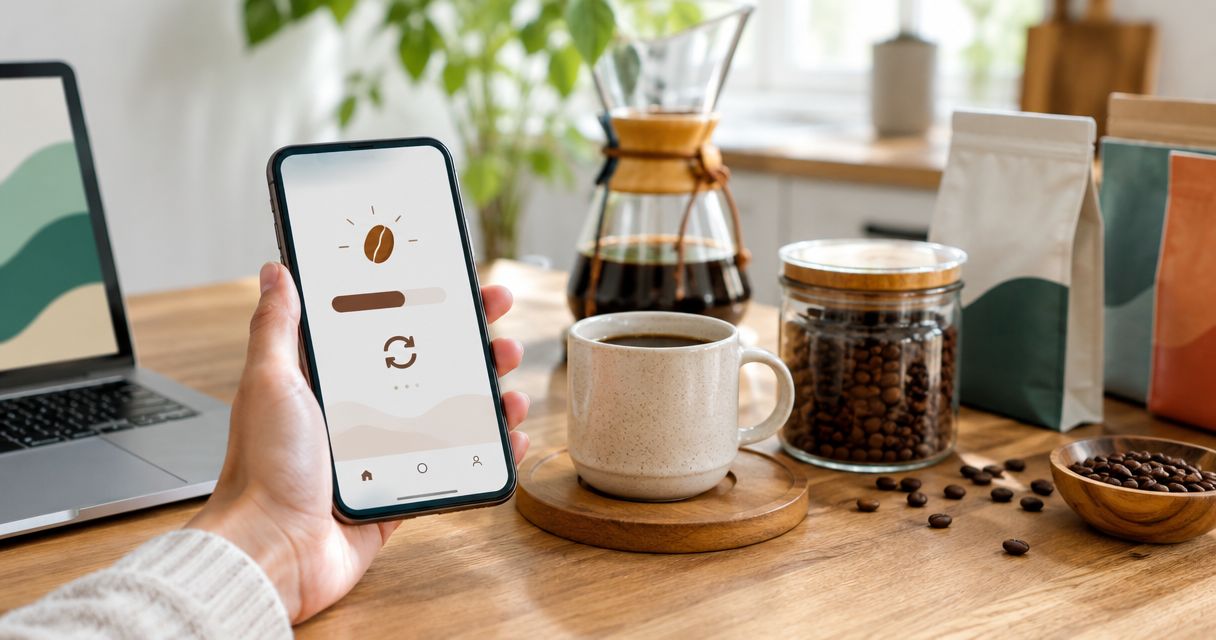
Instead of manually checking your flavored coffee supply every morning, build an auto reorder coffee beans subscription around your actual consumption, then activate recurring orders only after confirming the checkout terms. If recurring checkout is not offered for your selection, use the same low-supply trigger for a reorder reminder—not an automatic purchase.
- An auto reorder coffee beans subscription needs a consumption-based schedule, not a guessed delivery interval.
- God's Country Coffee Co. sells flavored coffee; confirm recurring-order terms before treating any purchase as a subscription.
- A scheduled subscription follows dates; a low-supply workflow requires you to track the coffee remaining.
- Keep one replenishment method active to prevent duplicate coffee orders.
Why this matters
A subscription and a low-supply trigger solve different problems. A scheduled subscription repeats an order on an agreed timetable; a low-supply trigger responds to the coffee you have left. A recurring payment does not mean your coffee container is being monitored.
God's Country Coffee Co. is best for home shoppers choosing among flavored coffee, blends, single-origin coffee, pods, and tea. For replenishment, your first decision is narrower: choose the coffee and format you consistently use before choosing how often to reorder.
For your 2026 setup, separate three dates: the date you authorize an order, the date it ships, and the date it reaches you. Do not schedule against the first date when your real goal is having coffee ready to brew.
Before you start
- Gather your materials: your current coffee package, a kitchen scale, a place to record consumption, and access to the email associated with your purchases. Use the package's net weight rather than estimating from the bag's appearance.
- Check purchase controls: confirm the exact coffee, whole-bean or ground format, quantity, destination, and country/currency selection. If you choose recurring orders, read the billing, change, and cancellation terms before authorizing them.
- Catch the hidden gotcha: a calendar-based subscription does not automatically detect low beans. Unless a service explicitly connects to a measured inventory source, you must adjust its schedule when your consumption changes.
You do not need a complicated app connection to start. You need a repeatable measurement and a clear distinction between a notification that asks you to act and a purchase that proceeds without another approval.
Your replenishment method
Choose the method before configuring the schedule. Each option trades convenience against control; none removes the need to check whether your household is drinking more or less coffee.
| Method | Best for | Main advantage | Main limitation |
|---|---|---|---|
| Scheduled subscription, where offered | Households with consistent consumption | Repeats purchases without rebuilding each order | Follows a timetable rather than measuring remaining beans |
| Recurring reorder reminder | Households with changing routines | Keeps approval in your hands | Does not place the order for you |
| Measured low-supply check | Households rotating flavors or brewing methods | Uses remaining coffee to decide when to act | Requires regular measurement and recordkeeping |
Choose a scheduled subscription only after your consumption pattern supports it. If your routine changes frequently, a reminder tied to a measured threshold gives you more control, but you still have to complete the purchase.
Keep your 2026 replenishment plan simple: one primary method, one record of orders already placed, and one person responsible for approving changes. Running a reminder and an unattended recurring order without coordinating them creates an avoidable duplicate-order risk.
Configuration unit: Consumption baseline
Start with the coffee you actually brew. A household's total coffee use is not the same as its use of a particular flavored coffee, especially when other drinkers prefer different bags.
- Identify the supply. Record the exact coffee name, format, package net weight, and quantity of unopened packages. Keep flavored coffee separate from other coffee unless you genuinely treat them as interchangeable.
- Measure daily use. Weigh the dry coffee used for each brew and record the date. Include every brewer using that supply; leave other coffees out of the calculation.
- Calculate average use. Divide the coffee consumed during your observation period by the number of days in that period. Keep the units consistent throughout.
- Calculate remaining coverage. Divide the usable coffee remaining by average daily use. This gives estimated days of coffee left, not a promised runout date.
- Record exceptions. Mark guests, travel, missed brews, and changes in household routine so an unusual period does not silently become your default schedule.
Expected result: you can state how much of the selected coffee your household uses and estimate how long the remaining supply will last.
Do not substitute cups for measured coffee without defining your recipe. A small cup and a large mug do not tell you how many grams of beans went into the brewer. Your purchasing schedule should follow the ingredient being replenished.
Sampling is not a recurring-order baseline
God's Country Coffee Co. lists its Flavored Coffees Sample Pack as 6 packs of 2 oz each. That totals 12 oz across the assortment, not 12 oz of one flavor.
Use the assortment to identify a favorite before building a repeating purchase around it. Best for: choosing which flavored coffee you want to keep drinking. Its limitation for this workflow is that sampling different coffees does not establish your ongoing consumption of a single selection.
Configuration unit: Reorder threshold
A low-supply threshold should leave enough coffee to cover the time between ordering and receiving the next package. It also needs whatever extra cushion you choose for your household.
- Establish lead time. Review the delivery information shown for your destination and your own completed order history. Treat an estimate as an estimate, not a guarantee.
- Choose a reserve. Decide how much additional coverage you want beyond that lead time. Base the decision on your tolerance for running out and the uncertainty in your own delivery history.
- Calculate the threshold. Multiply average daily coffee use by the combined delivery lead time and reserve period.
- Write the action rule. Use plain language: when usable coffee reaches the threshold, check outstanding orders and either approve a reorder or review the next recurring order.
- Exclude incoming coffee from usable supply. Track an order in transit separately. It prevents a second purchase, but it cannot supply tomorrow's brew until it arrives.
Expected result: you have a measurable reorder point rather than a vague instruction to buy when the bag looks empty.
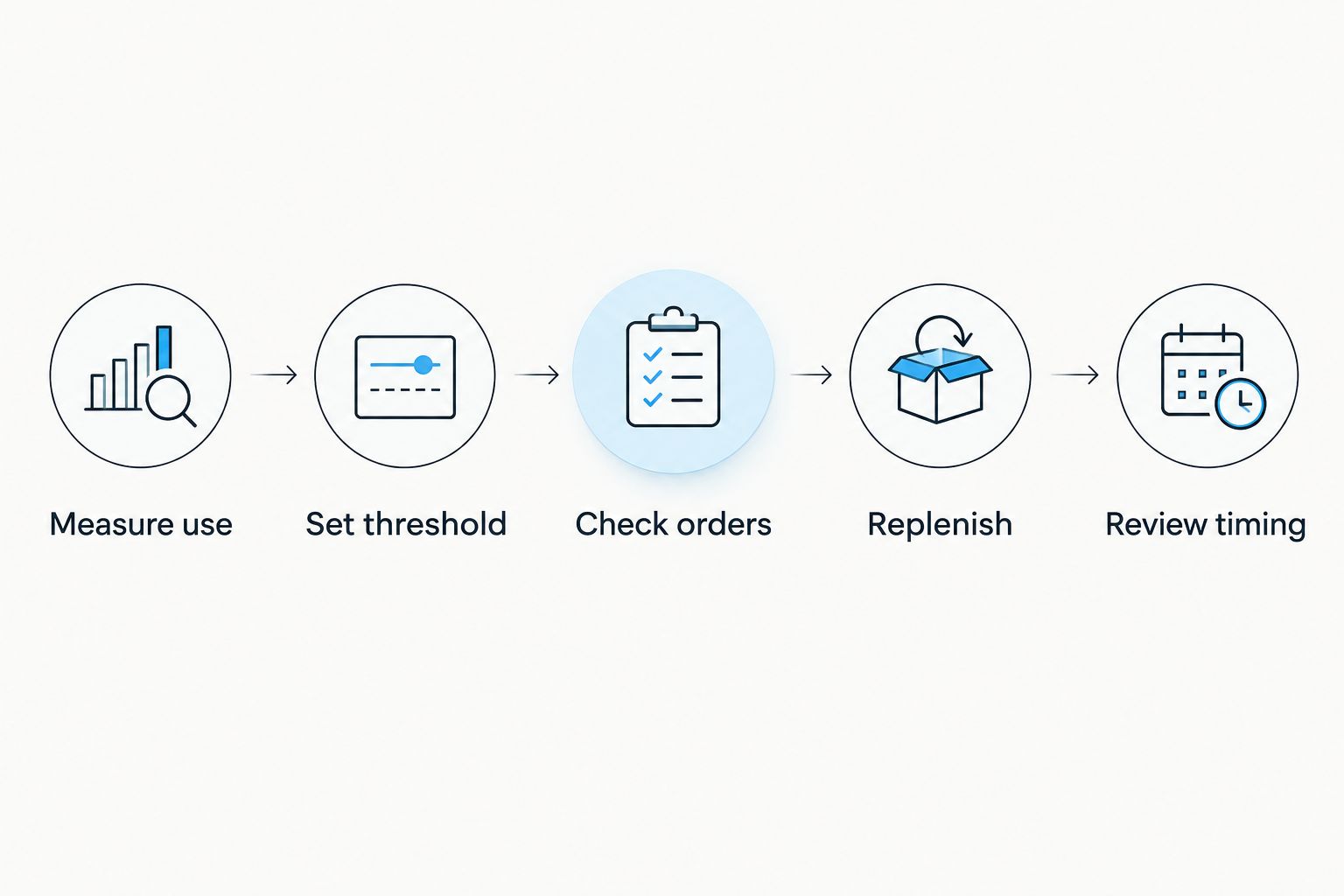
Keep the calculation in your 2026 coffee notes alongside the package details. If you change the amount you brew, recalculate the threshold; copying the old number preserves the old consumption assumptions.
Configuration unit: Recurring purchase or reminder
Complete this configuration only after setting your threshold. No single set of checkout button names applies to every storefront, subscription service, or reminder app; use the controls actually displayed rather than looking for a presumed subscription menu.
- Verify the purchase type. Open your chosen coffee and inspect the purchase choices. Proceed with recurring ordering only if the selection explicitly describes repeated purchases and presents the applicable terms.
- Confirm the exact item. Review flavor, format, package quantity, and destination. A recurring order for ground coffee does not replenish a whole-bean routine in the way you intended.
- Match timing to consumption. If a recurring interval is offered, compare it with your measured use. If the available timing does not fit, use a reminder instead of accepting an unsuitable schedule.
- Review authorization. Read when repeat charges occur and how changes take effect. Confirm how to manage the arrangement before submitting the initial authorization.
- Create the fallback reminder. If you are not activating recurring purchases, create a repeating task in your existing reminder app. Include the coffee name, format, reorder threshold, and instruction to check pending orders.
- Confirm what happened. For a subscription, retain the confirmation identifying recurring purchases and their terms. For a reminder, check that the task has a recurrence and that notifications are enabled.
Expected result: either you have an explicitly authorized recurring purchase or you have a recurring reminder requiring your approval. You know which one is active.
Do not interpret an ordinary order confirmation as proof of a subscription. A completed purchase and a repeating purchasing agreement are different outcomes.
Configuration unit: First-cycle review
The first cycle tests your schedule against reality. Keep your 2026 setup adjustable rather than treating its initial timing as permanent.
- Check remaining coffee when the next order is initiated. Compare the measured amount with your threshold and note whether another order is already pending.
- Record arrival and remaining supply. When the coffee arrives, record the date and how much usable coffee you still have.
- Identify the cause of any mismatch. Separate heavier consumption from a delivery delay or an unnecessarily early purchase.
- Change one setting. Adjust the interval, quantity, or reminder timing according to the cause. Avoid changing everything at once; you will lose track of what corrected the problem.
Expected result: your next cycle reflects observed consumption and delivery timing rather than your original guess.
Do not automatically add quantity whenever coffee runs low. If the real problem is ordering too late, a larger repeating order can leave you with excess coffee while preserving the timing mistake.
Variant: Update replenishment when your routine changes
A consumption-change workflow is useful when you travel, host guests, switch brewing methods, or rotate flavors. The trigger is a change you record—not an assumed connection between your brewer and your shopping account.
- Travel planned: count the coffee you will use before departure and after returning. Review any recurring purchase separately from your reminder.
- More coffee drinkers: measure the new household use, then update the threshold and purchasing schedule.
- Flavor rotation: track each flavor separately if you want to replenish it separately. Total coffee remaining can conceal an empty favorite.
- New brew recipe: measure the dry coffee used by that recipe instead of carrying over the previous dose.
Apply these changes to your 2026 record before the next purchasing decision. For a planned interruption, follow the coffee subscription skip-a-delivery workflow, then verify that any requested change is confirmed.
Troubleshooting
Coffee runs out before the replacement arrives
Check whether consumption increased, the order was initiated late, or delivery took longer than expected. Correct that specific input, then recalculate your threshold. Moving the reminder does nothing if you consistently ignore it until the bag is empty.
Coffee accumulates faster than you drink it
Compare purchased quantity with measured use. Review the recurring interval or quantity where those controls are offered, and confirm the effect on the next order. Do not simply silence the reminder while leaving a repeating purchase unchanged.
A reminder appears, but no order is placed
That is normal reminder behavior. Complete checkout yourself, then record the order as pending. If you want purchases without manual approval, you need an explicitly supported recurring-purchase arrangement—not a notification alone.
Two orders cover the same replenishment cycle
Check whether you manually reordered while a recurring purchase was also scheduled. Review both order records before buying again, and use the merchant's stated process for any change request. Keep pending orders visible in the same place as your coffee threshold.
The repeated selection is the wrong format or flavor
Compare the original authorization with the order confirmation. Correct the recurring selection through the management method provided, or seek help through the merchant's published support channel. Editing a reminder's text does not change a merchant-held order.
Customize your workflow
Once timing works, expand your record to include separate supplies for everyday coffee and occasional flavored brews. Keep their thresholds independent; drinking less of a flavor should change its replenishment schedule, not force the rest of your coffee onto the same timetable.
God's Country Coffee Co. flavored coffee fits into this process as the coffee you select and measure. Choose the purchasing mechanism separately from the flavor: liking a coffee does not establish that a recurring checkout option or a particular management feature exists for it.
FAQ
How do I automatically reorder coffee beans when I run low?
Use a measured consumption threshold and a supported recurring-purchase arrangement, or use the threshold to prompt a manual reorder. A scheduled subscription alone does not measure how many beans remain.
Does God's Country Coffee Co. automatically reorder flavored coffee?
Confirm recurring-purchase choices and terms for your exact selection before authorizing an automatic reorder. An ordinary coffee order does not establish a subscription.
Is a coffee subscription better than a reorder reminder?
A scheduled subscription suits consistent consumption, while a reorder reminder keeps each purchasing decision under your control. The reminder requires action; the subscription requires checking that its timing still fits.
How do I calculate when to reorder coffee beans?
Multiply average daily coffee use by delivery lead time plus your chosen reserve period. Reorder when your usable coffee reaches that amount, after checking for orders already pending.
Can I automatically change deliveries when I drink less coffee?
Consumption changes affect deliveries only if the purchasing system explicitly supports that connection. Otherwise, review the recurring schedule yourself and confirm any adjustment through the provided management method.
Can a flavored coffee sample pack help me choose a subscription?
A flavored coffee sample pack helps you choose a coffee before repeating a purchase. Establish consumption for your chosen coffee separately, and confirm whether recurring purchasing is offered for it.
One last thing
Weigh the coffee, not the container. An inventory check that includes the bag, scoop, or storage canister overstates your usable supply. Use the scale's tare function or subtract the empty container's weight, and apply the same method each time.
That small measurement habit makes the reorder rule consistent. Automation cannot correct a threshold built from the wrong weight.